 PulseGTO
Getting started
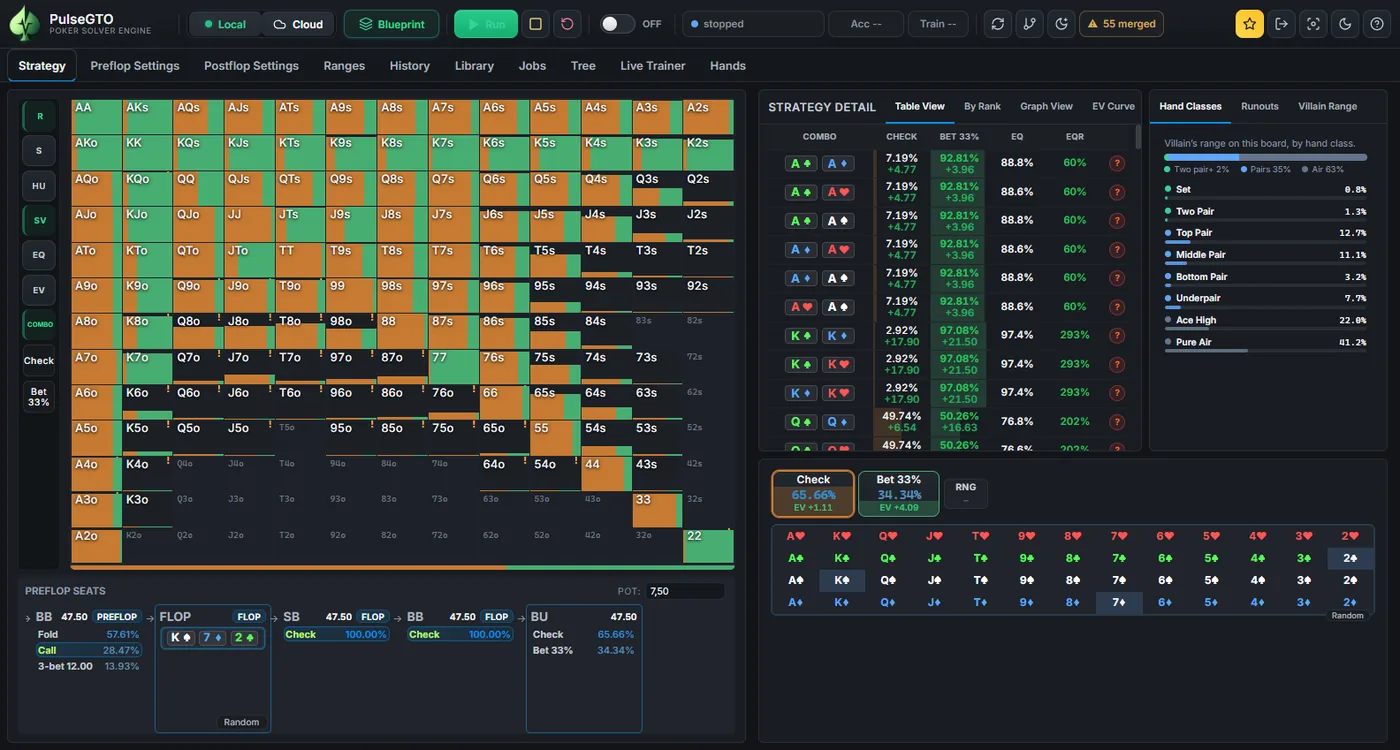
Understanding the interface
Tabs
- Strategy: browse a blueprint or a local solve node by node, with the range grid, the board and the action buttons.
- Preflop Settings: seats, stacks, raise sizes and rake of a preflop game, the run controls of the preflop engine, and loading blueprints.
- Postflop Settings: bet sizes per street and position, stacks, rake, the RangeCFR settings, HU mode and appearance.
- Ranges: view and edit exported range files, and apply one to the Strategy tab.
Top bar
| Control | What it does |
|---|---|
| Blueprint picker | Choose a blueprint by Players → Limit → Rake → Stack. The Strategy tab then browses that file. |
| Blueprint toggle | ON shows the blueprint strategy for the current node. OFF shows the local re-solve of this node, if one has run. |
| Workflow pill (HU / 3-way / Preflop) | Which workflow the toolbar shows and Run starts. It follows what you do: the players switch on the HU card, loading a blueprint, starting a preflop run. Click it to switch. |
| Run | Start the workflow's engine: the heads-up or 3-way solve of the HU card's spot, or a re-solve of the blueprint node in view. |
| Stop | Stop the solver and keep the current average strategy on screen. |
| Reset | Go back to the start of the hand. |
| Auto flop | Start a solve as soon as three flop cards are selected. |
| Acc pill | Accuracy of the running or last local solve: preflop training shows a regret estimate in bb/hand; postflop solves show exploitability as a percentage of the pot. Lower is better. These are different measures; see Accuracy. |
| Train pill | Iterations and elapsed time of the running local solve. |
| Night batch (moon) | Queue re-solves of heads-up flop spots, most frequently reached first. Each is saved with its accuracy, if it meets the accuracy limit you set. |
| LOCAL / CLOUD | Turn the local engine on or off; open the website version. |
| Focus mode | Hide the tabs and the range rail so the grid fills the window (shortcut F). |
Three workflows, one app
PulseGTO solves three kinds of spot, each with its own engine and its own settings:
- Heads-up postflop: two ranges and a board on the HU card (Postflop Settings), solved by RangeCFR without hand abstraction. Postflop Settings shows the heads-up options: bet sizes per street and position, donk bets, IP dont3bet, the RangeCFR limits and memory profile.
- 3-way postflop: SB, BB and BTN ranges on the same card with three players selected, solved by the multiway engine. The settings that apply are shown and the rest hidden: the 3-way solve reads Iterations, Stop after, Stop at (as % of the pot) and Threads; the turns to solve are on the card.
- Preflop blueprint: training, loading and browsing a blueprint from Preflop Settings. With a blueprint loaded, stacks and pot come from the node in view; Run re-solves that node using the blueprint’s own tree. Use Change Node to edit the re-solve tree.
The workflow follows what you do and is shown by the pill in the top bar. Its engine owns the status, Acc and Train pills and the accuracy chart; another workflow's engine running in the background (a preflop run behind a heads-up solve, for example) keeps its progress on its own tab: a preflop run keeps going behind any workflow, the status says so, and Run or Stop then point to its own Stop in Preflop Settings. Switching while a heads-up or 3-way solve runs asks first.
Note
Hover over any control in the app to see a short description.