 PulseGTO
Strategy blog: Small c-bet vs range bet — watch the BTN vs BB study.
Desktop Engine · RangeCFR
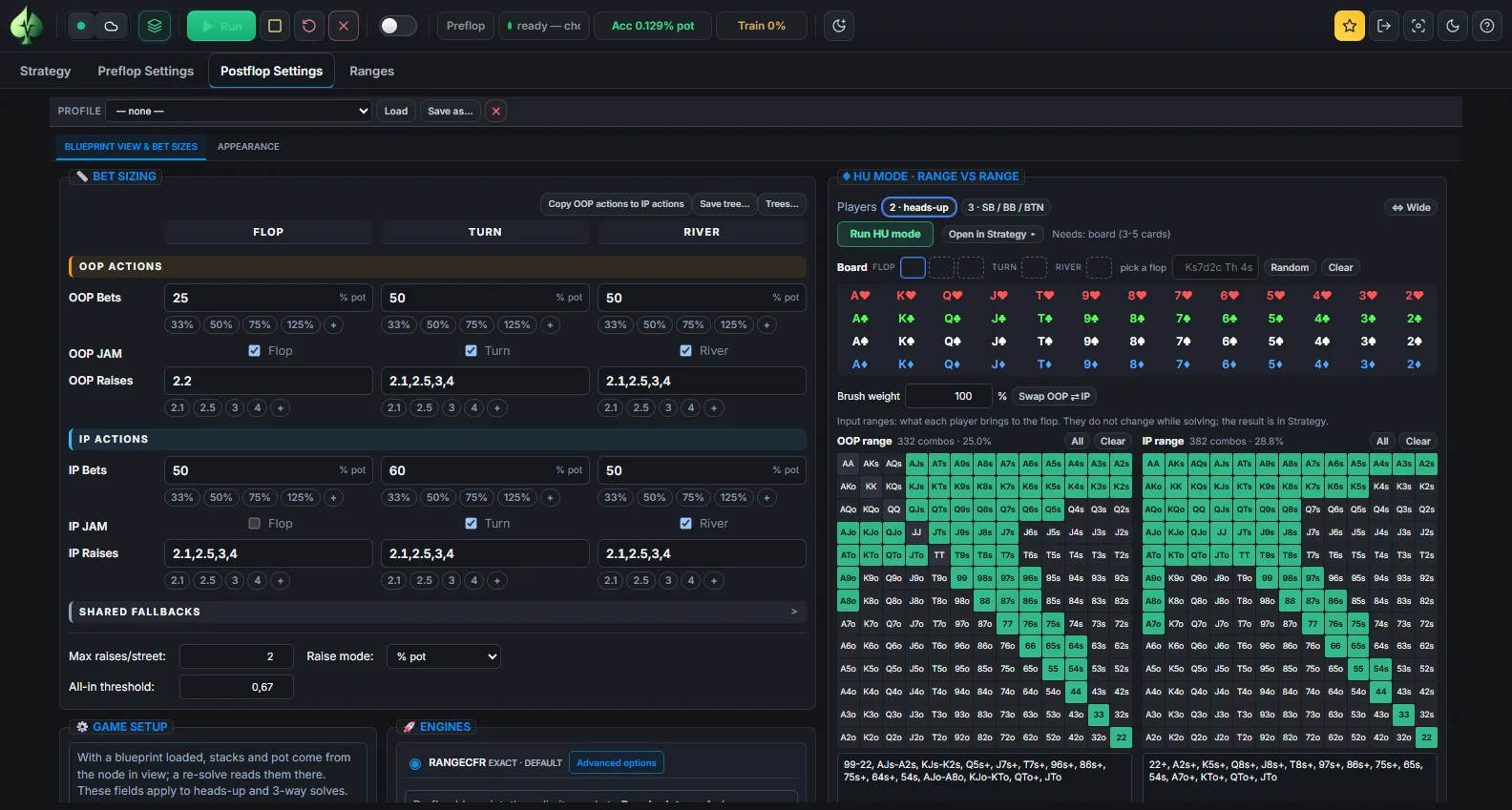
Postflop solver: heads-up and three-way spots, every combo
Enter the ranges, the board, pot, stacks, rake and your bet sizes, and RangeCFR solves the spot on your own computer with every hand combination separate. Or open a node of a blueprint, re-solve it with the ranges that actually reach it, and save the result into the same file.
Your ranges, your board, your sizes
- Ranges: paint them on the grid or paste them as text, for the player out of position and in position.
- Start anywhere: from the flop, the turn or the river, with the pot and the stacks of that moment.
- Bet tree: bets per street in % of the pot, raises as a multiple of the bet or a % of the pot, the jam with an all-in threshold, donk sizes on the turn and river, a cap on raises per street, and rounding to whole chips when you rebuild a tree from another solver.
- Game: rake %, cap and dead money are part of the payoff.
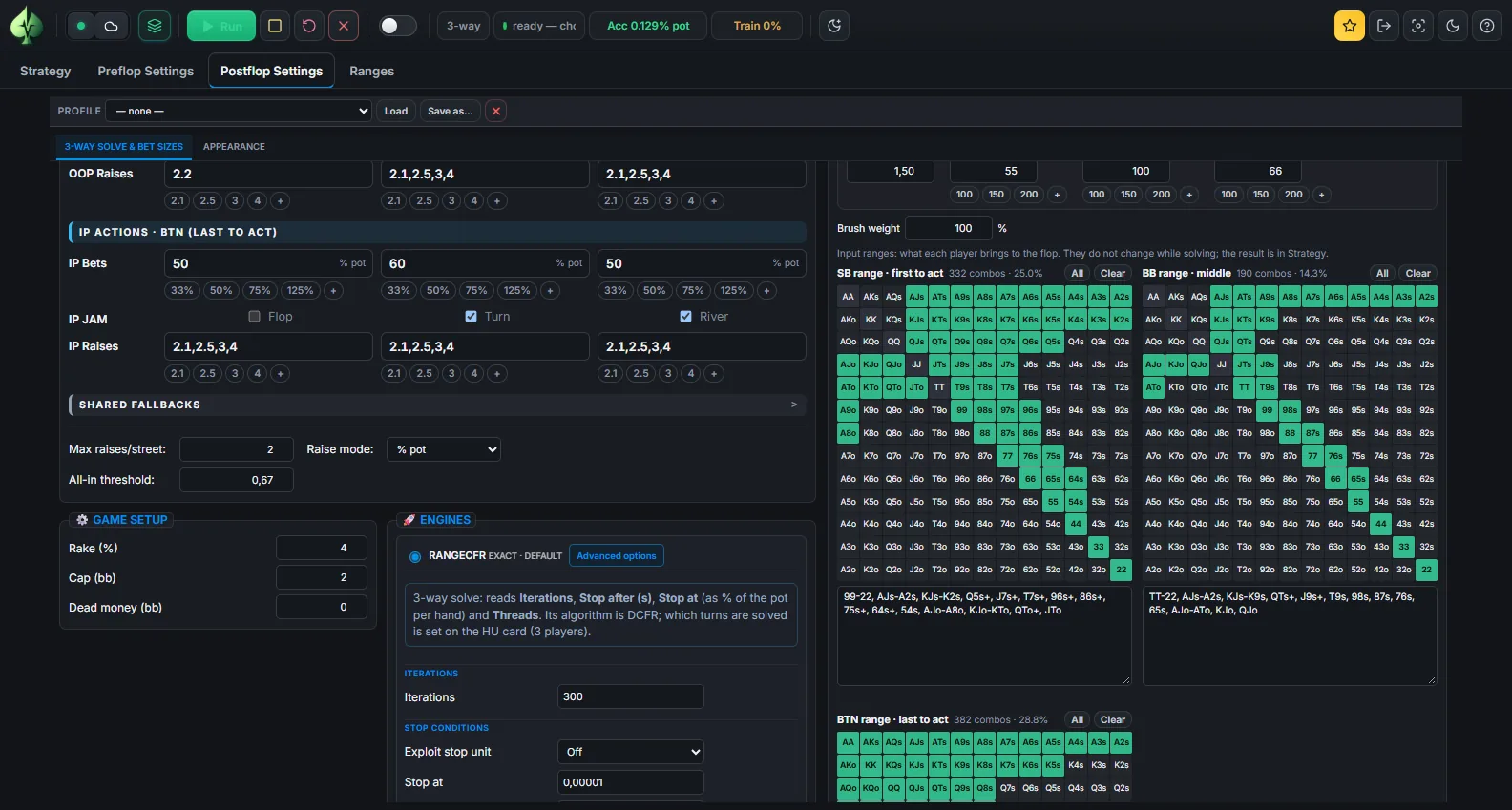
Three players
Switch the card to three players and enter the ranges for SB, BB and BTN. The three-way engine solves the spot with every combo of every player, side pots and all.
- On a flop, every turn and river is covered by default when the tree fits in RAM; a reduced turn sample is an optional quick preview.
- The app estimates the memory before it starts and refuses a solve that would not fit in free RAM.
- A three-way node of a blueprint re-solves the same way from the Strategy tab.
Internal checks of the three-way engine (heads-up reduction, payoff consistency, convergence) are documented in Three-way postflop research.
Re-solve a spot of your blueprint
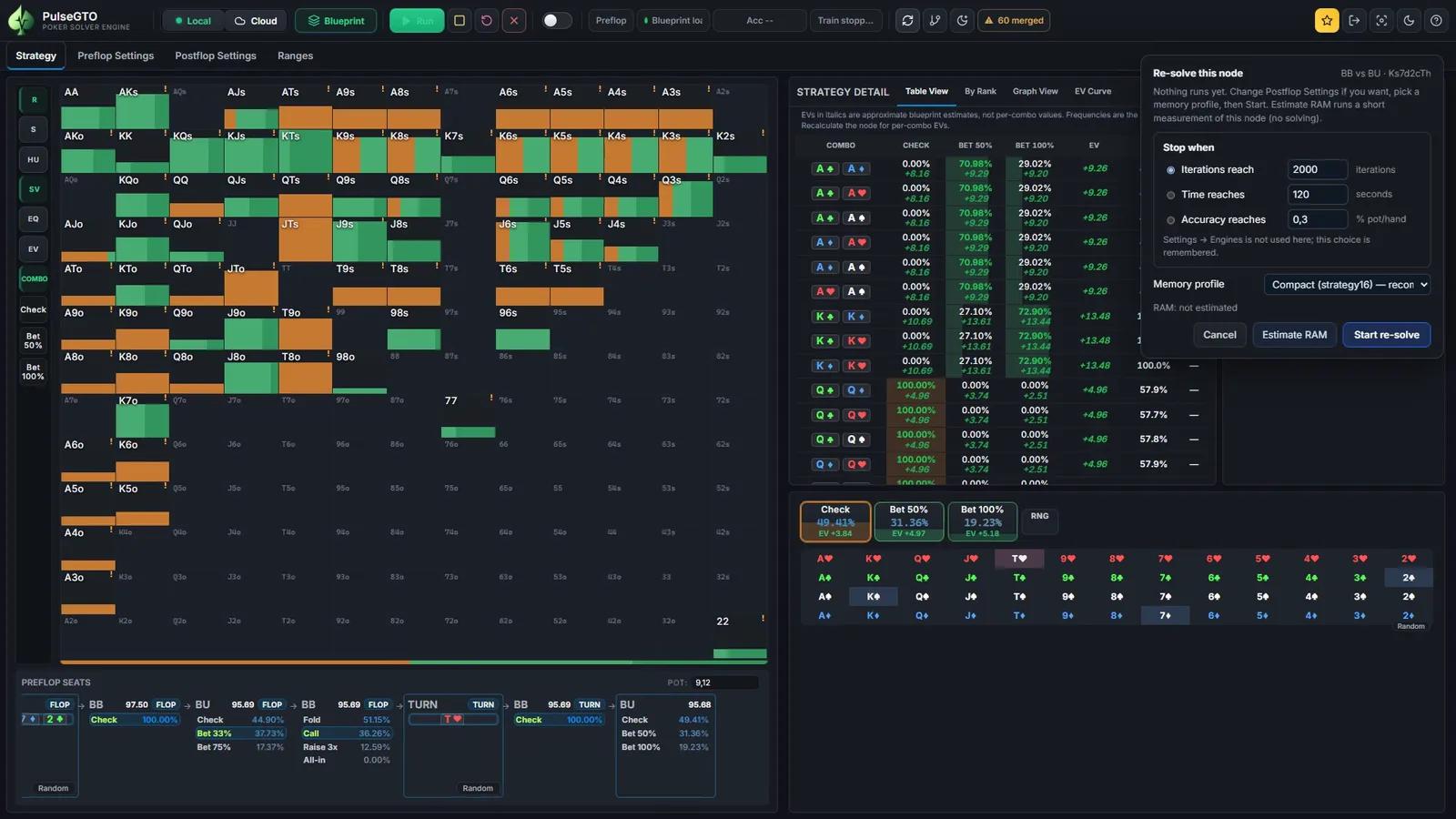
Walk to any heads-up or three-way postflop node of a loaded blueprint and click Recalculate Node. The re-solve uses the blueprint's own tree and the ranges with which it reaches the spot, so the result replaces exactly the strategy you were looking at.
- Stop when: an iteration count, a time, or an accuracy in % of the pot per hand.
- Memory profile: pick one, run Estimate RAM, then start.
- Save: the re-solve goes into the same
.pgbas an override. The trained strategy stays, and a green Re-solved badge switches between the two views. - Change Node: edit the ranges and sizes first when you want a different tree from the blueprint's.
Accuracy you can read, and a lock when you want one
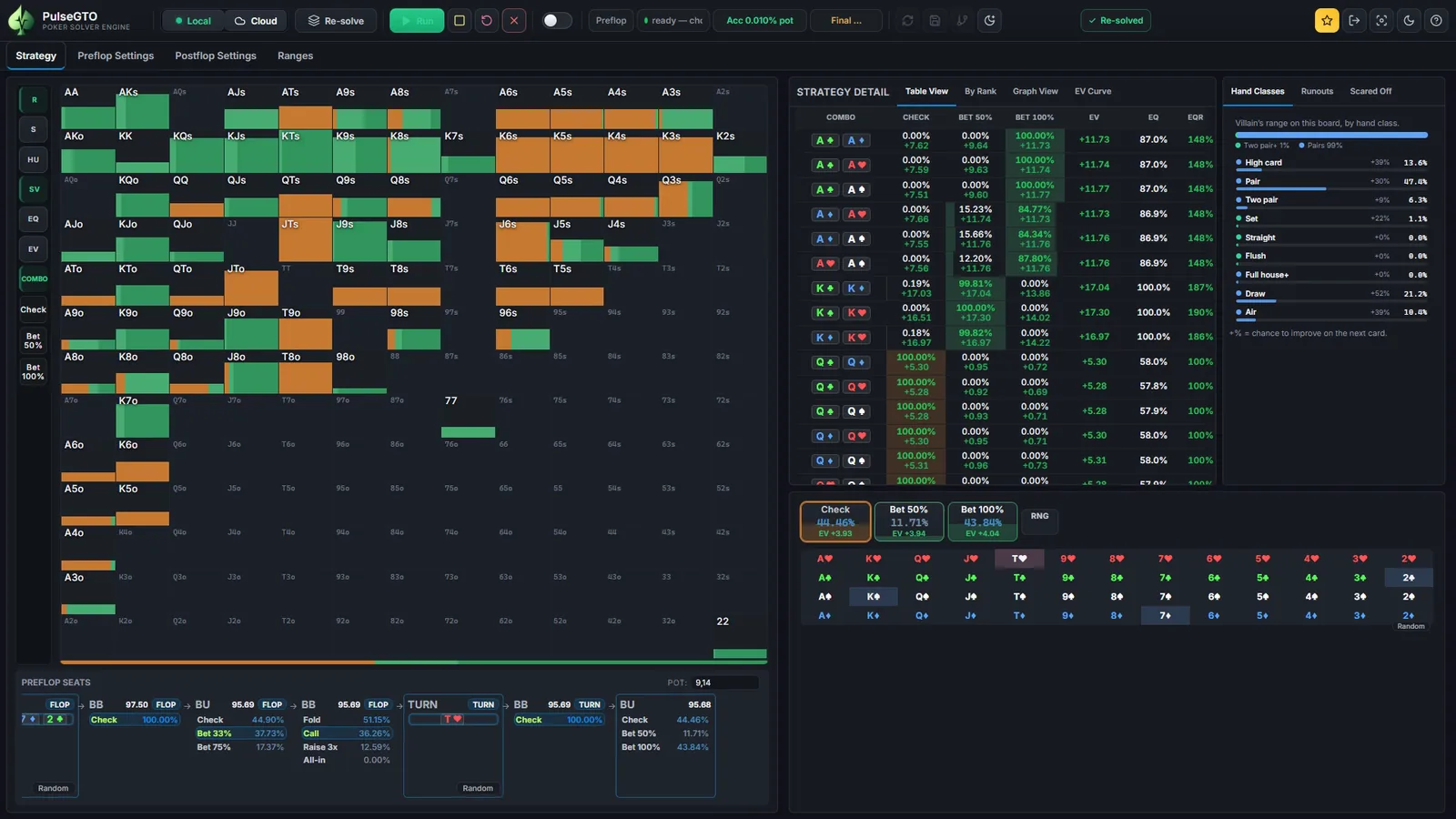
During a re-solve the toolbar shows the accuracy as a share of the pot: the exploitability from a best-response pass on that node's tree. Stop at the level you want; the saved node keeps its measured value.
Node lock: in a heads-up re-solve, fix how the acting player plays the spot, one mix for the whole range or a mix per hand class, and the remaining strategies are re-solved with those actions fixed. Node locks in the documentation.
Comparisons with a reference solver on matched trees are published in PulseGTO vs PioSOLVER benchmark, with the configuration of every spot.
Tree files: a spot you can keep and share
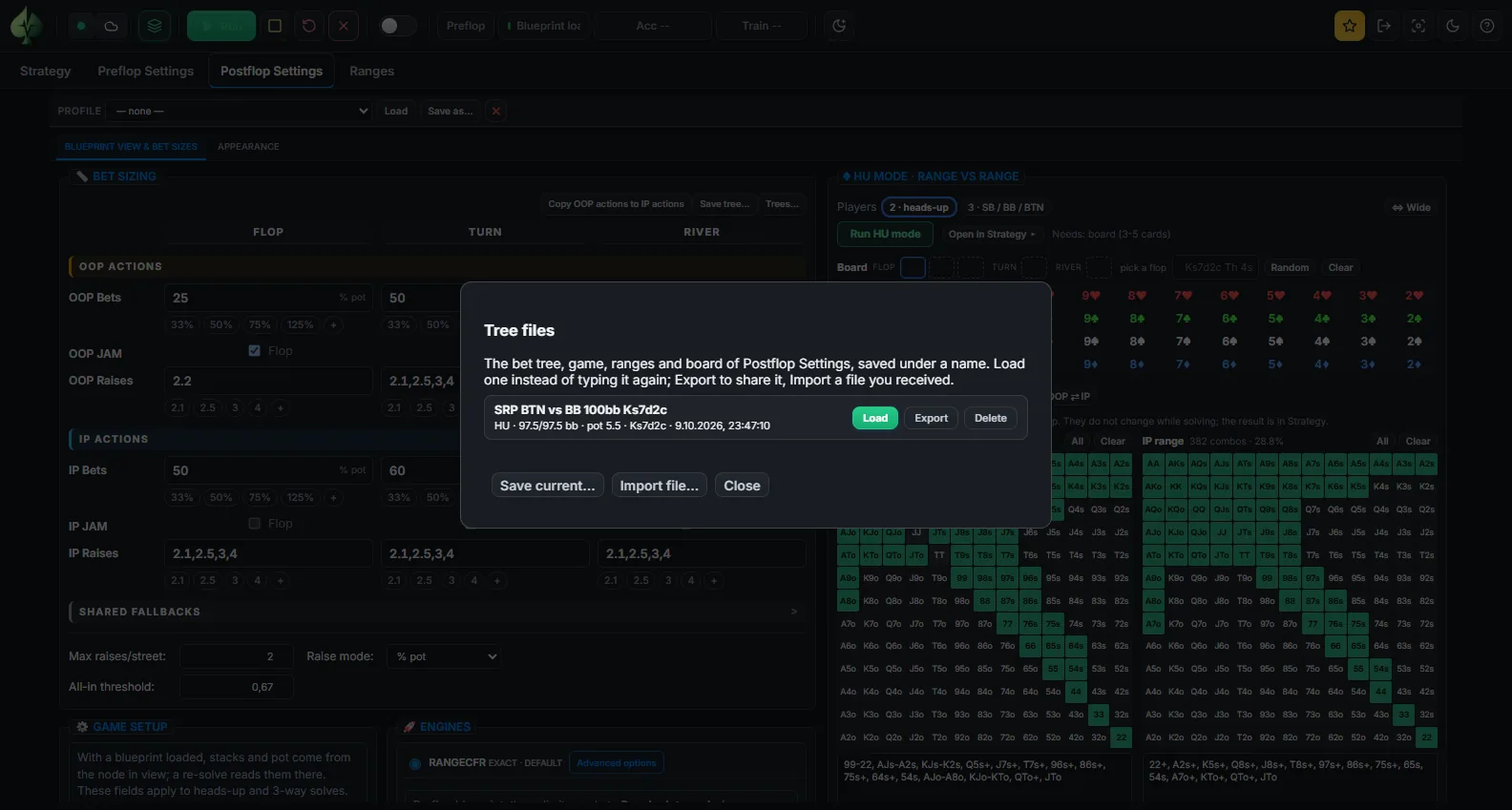
Save tree stores a spot under a name, like a solver's tree file: the bet tree of both sides, the shared sizes, caps, rounding and the all-in threshold, the game (pot, stacks per seat, rake), the ranges and the board.
- Trees… lists the saved spots with their players, stacks, pot and board.
- Load puts one back into Postflop Settings; Export downloads it as JSON; Import reads a file you received; Delete removes it.
- The files live in the app's data folder, so they are yours to back up and move.
Requirements
| OS | Windows 10/11 64-bit |
|---|---|
| CPU | 4 cores with AVX2; more threads finish sooner |
| RAM | 16 GB for single postflop spots; 32–64 GB for full-range three-street re-solves and three-way flops with every turn and river |
| Before a run | The app estimates the memory the solve needs and refuses one that would not fit in free RAM |
Limits, stated plainly
- A re-solve is exact for its spot within the accuracy it reports: no hand abstraction, but a finite number of iterations inside the betting tree you chose and the ranges you entered.
- Two or three players postflop. Four-way and larger spots are not solved per combo.
- Large three-way flop trees need a lot of RAM; the reduced turn sample trades accuracy for memory and says so.
- Chip EV in big blinds with the rake you configure; no ICM.
Where the ranges come from
- Typed or painted on the HU card, for a stand-alone spot.
- From a blueprint node: the ranges with which the trained game reaches that spot. Preflop solver.
- Saved re-solves accumulate in the blueprint: your own strategy database.
Try the Engine free for 7 days
The trial is the full desktop Engine on your own computer: heads-up and three-way solves, blueprint re-solves, tree files. Nothing is solved on our servers.
- Create a free account on pulsegto.com and confirm your e-mail address.
- Open your dashboard and start the trial: it gives you a one-use activation code (valid for 15 minutes).
- Install the app and enter the code on the computer you want to use. The trial runs for 7 days from activation on that computer; activating and validating the licence need an internet connection.
After the trial, the Engine is a one-time licence for two Windows PCs with 12 months of updates included; current availability and prices are on the pricing page. The trial is offered while the trial campaign is open.