 PulseGTO
Desktop Engine · Your files
Your own strategy database, on your own computer
A PulseGTO strategy is a file. The blueprint holds the whole game for your stacks, rake and sizes; every exact re-solve you save goes into the same file. Spot by spot it becomes a database built for the game you play, kept where you keep it.
One file for the whole game
A blueprint (.pgb) is produced by the preflop solver: the opening ranges, every 3-bet, squeeze, 4-bet and all-in line of your tree, and the postflop strategy behind each line, with the EVs recorded in training.
- The Strategy tab browses it from the first preflop decision to the river: range grids, per-combo tables, hand classes, the seat strip of the line.
- Every file carries its own configuration: engine version, players, stacks, rake, tree, abstraction level, iterations. The app shows it before you load the file.
- Published blueprints from the download page open the same way as your own.
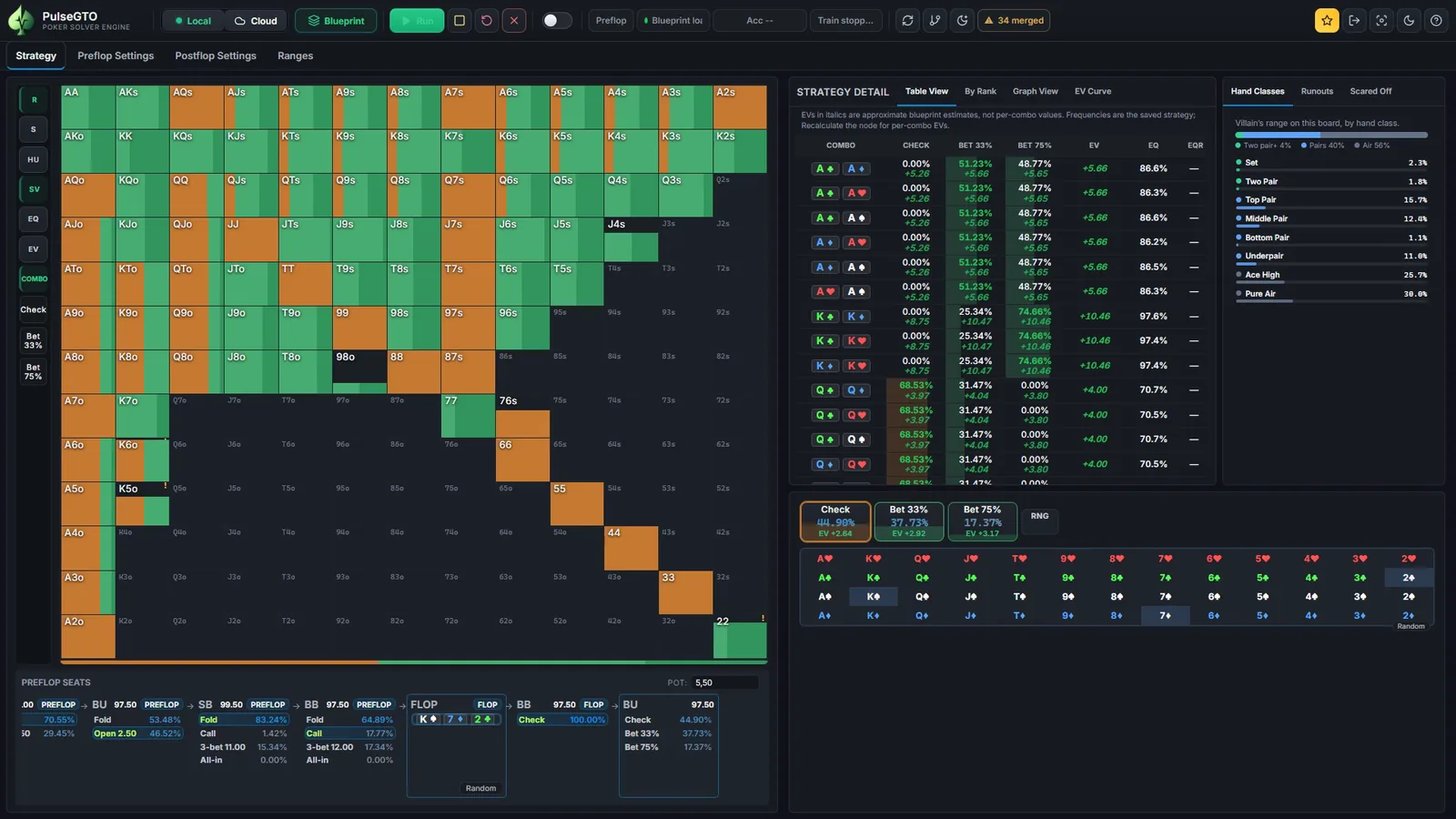
Blueprint or re-solve: keep the two apart
- Blueprint: the whole game, preflop to river, trained with hand abstraction postflop. Similar hands share a strategy; the EVs on postflop nodes are abstraction estimates. It is the starting point for every spot.
- Re-solve: one postflop node solved again with RangeCFR, from the ranges that reach it, every combo separate, with a measured accuracy. Exact for its spot within that accuracy; still limited by the betting tree and the iterations.
- Database: the blueprint plus the re-solves saved into it. Re-solved spots show the re-solve, all others still show the blueprint, and a badge tells you which one you are reading.
A re-solve improves one spot. It does not turn the whole file into a preflop-to-river equilibrium. The distinction in the documentation.
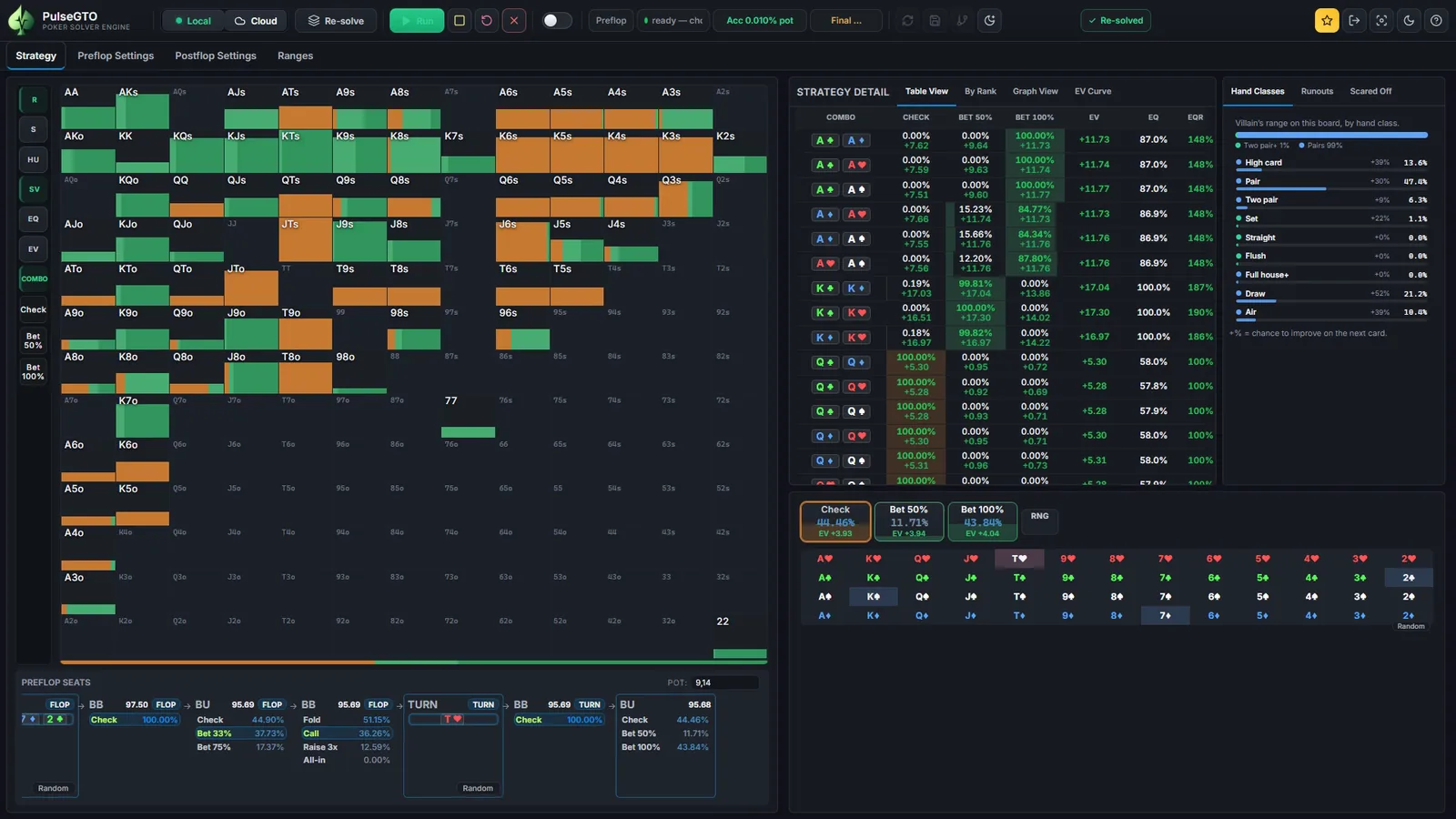
It grows spot by spot
- Recalculate Node re-solves the heads-up or three-way spot you are looking at and saves it into the same file. Postflop solver.
- Batch mode for heads-up pots re-solves the flop spots of a blueprint one after another, the most often reached first, saves each with its measured accuracy and carries on where it stopped the next time you run it.
- Repair ! classes re-solves blueprint nodes where several preflop hand classes share one strategy, so the file gets more precise where the abstraction was coarsest.
Over time the file keeps your preflop ranges and holds dedicated postflop solutions for the spots you care about. There is no limit on the number of blueprints, re-solves or tree files you keep.
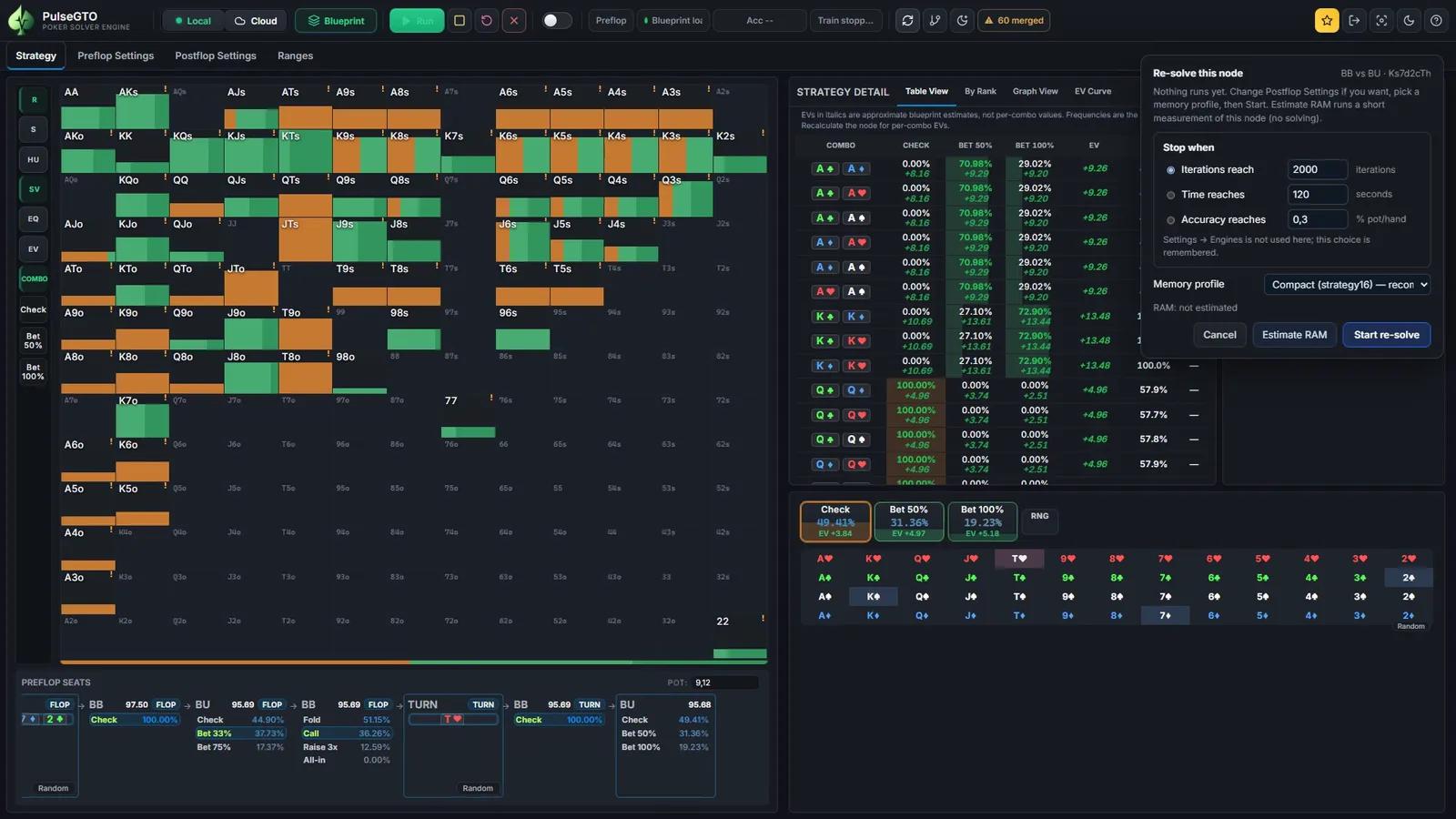
Keep it, move it, share it
- Back it up. A blueprint is an ordinary file. Copy it to another computer that has PulseGTO Engine and load it there; its game settings travel inside it.
- Share it. Hand a file to another PulseGTO user; a licensed, compatible Engine opens it. Nothing in the file is tied to your account.
- Tree files. A postflop spot (bet tree, game, ranges, board) saved as JSON: load it, export it, import one you received.
- Range files. Open ranges exported from a run, and every range copied or pasted as text in PokerStove syntax.
- Checkpoints. A training run can be stopped and continued; the newest checkpoint and one spare are kept.
Files, import & export in the documentation.
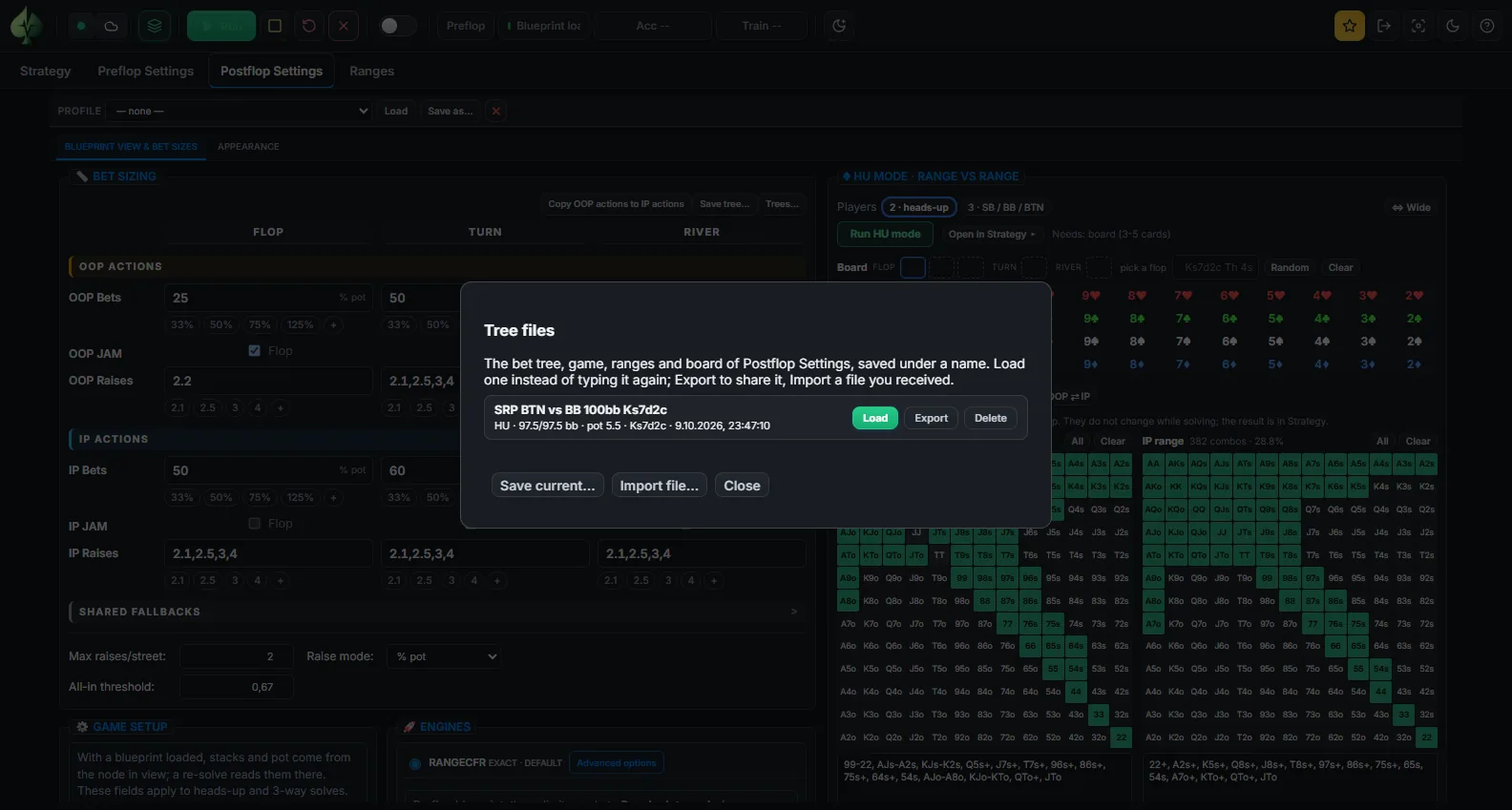
Local computation
- The desktop build is a native C++ engine with a web interface at localhost, in its own window.
- Every solve runs on your CPU and RAM: no credits, no queue, no upload of your ranges or files.
- The account on pulsegto.com handles the library, activation and downloads. It never runs your solves.
Free library or your own Engine
| Browser library | Published blueprints on pulsegto.com, no install; a free account browses up to 10 distinct boards per 24 hours. |
|---|---|
| Desktop Engine | Your own blueprints, re-solves and files on your Windows PC. One-time licence for two PCs, 12 months of updates included; 7-day trial. Pricing. |
Limits, stated plainly
- Blueprint postflop play is approximate (hand abstraction); re-solves are exact for their spot within the accuracy they report. Accuracy & limitations.
- Re-solves cover heads-up and three-way spots. Blueprints cover two to six players.
- Blueprint files are large: a full 6-max 100 bb run wrote a 7.1 GB file. Keep them on a drive with room.
- Windows 10/11 64-bit with AVX2. System requirements.
Try the Engine free for 7 days
The trial is the full desktop Engine on your own computer. Files you create during the trial are ordinary files on your disk.
- Create a free account on pulsegto.com and confirm your e-mail address.
- Open your dashboard and start the trial: it gives you a one-use activation code (valid for 15 minutes).
- Install the app and enter the code on the computer you want to use. The trial runs for 7 days from activation on that computer; activating and validating the licence need an internet connection.
After the trial, the Engine is a one-time licence for two Windows PCs with 12 months of updates included; current availability and prices are on the pricing page. The trial is offered while the trial campaign is open.