 PulseGTO
Guides
Build your own preflop tree and save the whole game
Published ranges are solved for somebody else's game. This guide takes the Preflop Settings tab in order: describe your game, check the tree, run it, and keep one .pgb with the preflop ranges and the postflop strategy behind them. It needs the desktop Engine (pricing, download); the settings reference is Custom game trees.
1. Seats, stacks and rake
Switch UTG, MP, CO, BU, SB and BB on or off (two to six players) and set a stack per seat, or one for all with Set all stacks. Set rake %, the cap in bb, the minimum pot and no flop no drop.
2. Raise sizes and who may call
- For each seat and level (open, 3-bet, squeeze, 4-bet, 5-bet) type a raise-to amount in bb or a multiple of the raise it answers (
3x;3x/4xin position / out of position). A multiple becomes a bb amount per line: a3x3-bet is 7.5 bb against a 2.5 bb open. - Squeeze is the 3-bet size when somebody already called. The 6-bet is always all-in; every level has allow jam and force jam.
- Calls: only the SB may limp; each seat may cold-call the open, with a cap on cold callers, and may be allowed to cold-call a 3-bet, 4-bet or 5-bet. Every extra call adds multiway pots: more tree, more RAM.
3. The postflop part
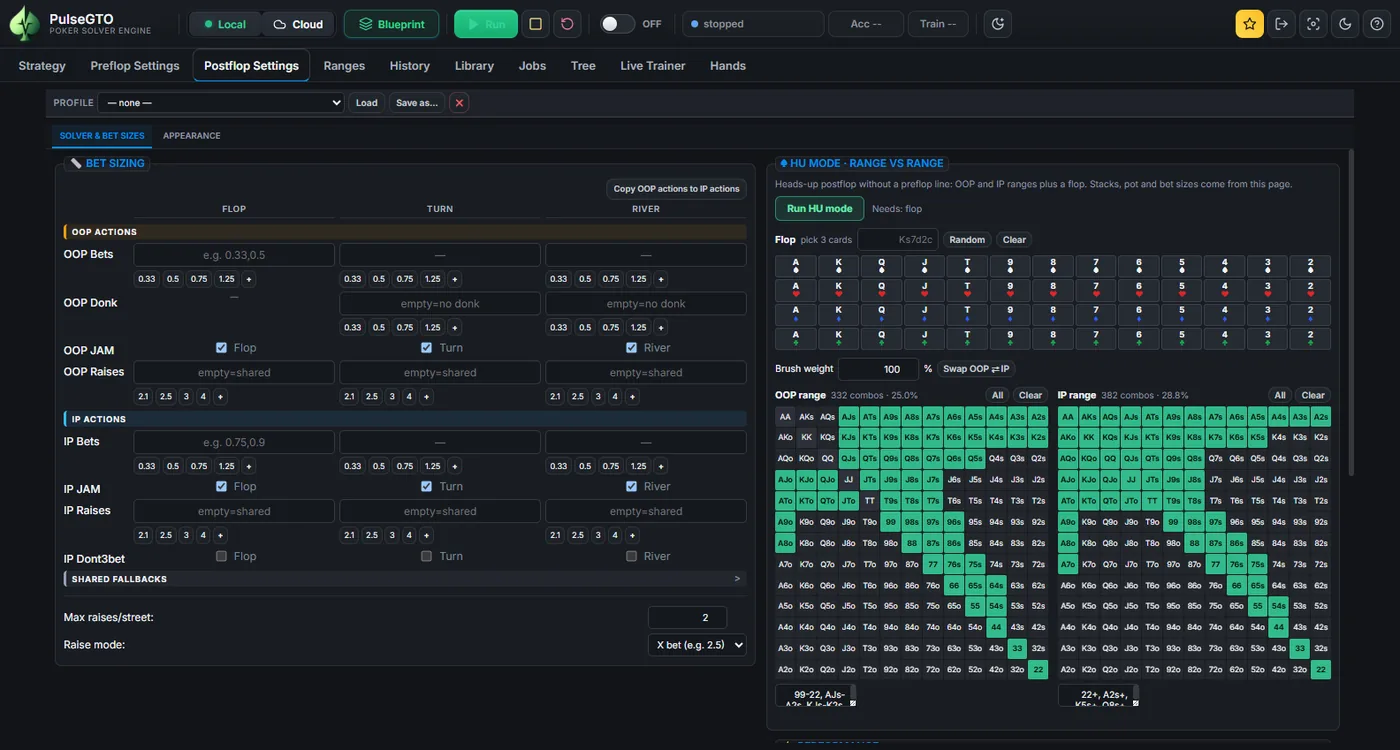
A blueprint plays every hand to the river, so the postflop tree is part of your game. Per pot type set the OOP and IP bets in % of the pot, up to two raises, the jam, donk bets on the turn and river and the OOP probe. A donk bets into whoever bet the street before; a probe bets first after a street checked through. Keep probe on: with both off, the preflop caller never bets first on the turn or river. Every extra size multiplies the tree below it; Check tree shows the factor.
4. Preflop locks
A lock lists the only actions a group of hands may take at one kind of decision; the solver chooses among them and every other seat adjusts. The classic case: pairs 22–TT facing an open: Fold or Raise, never Call. Click Add lock and set the seat, what it faces (first in, an open, a 3-bet, a 4-bet, a 5-bet, a limp), the hands and the allowed actions. A lock removes actions; it does not fix a frequency.
5. Preview the tree
Click Preview tree. The panel on the right shows the tree the engine will build; follow any line to a fold, an all-in or the flop. It also lists every setting that is below the legal minimum raise in some lines, where the engine lifts it to the minimum. Each line has a Set button that writes the smallest size legal in every line of that cell; Set all writes them all.
6. Strength, threads and the run
- Abstraction level (Strength): small, medium or high; more postflop detail and more RAM as it rises.
- Iterations and checkpoint targets: how many samples, and when to save. The accuracy stop (bb/100) ends the run when the preflop accuracy bound reaches that level instead.
- Threads: prefilled with your logical processor count minus two (up to 32); type what you want. The result does not depend on it, only the time.
The panel shows a RAM estimate; Run solve starts after a summary dialog.
7. Checkpoints and resume
Closing the window or the app does not stop a run. At 85 % of physical RAM it saves a checkpoint and stops; Stop saves a checkpoint and a blueprint of the work so far. To continue, load the checkpoint, tick Continue loaded checkpoint and set Additional iterations. See Checkpoints & long runs.
What the file is, and what it is not
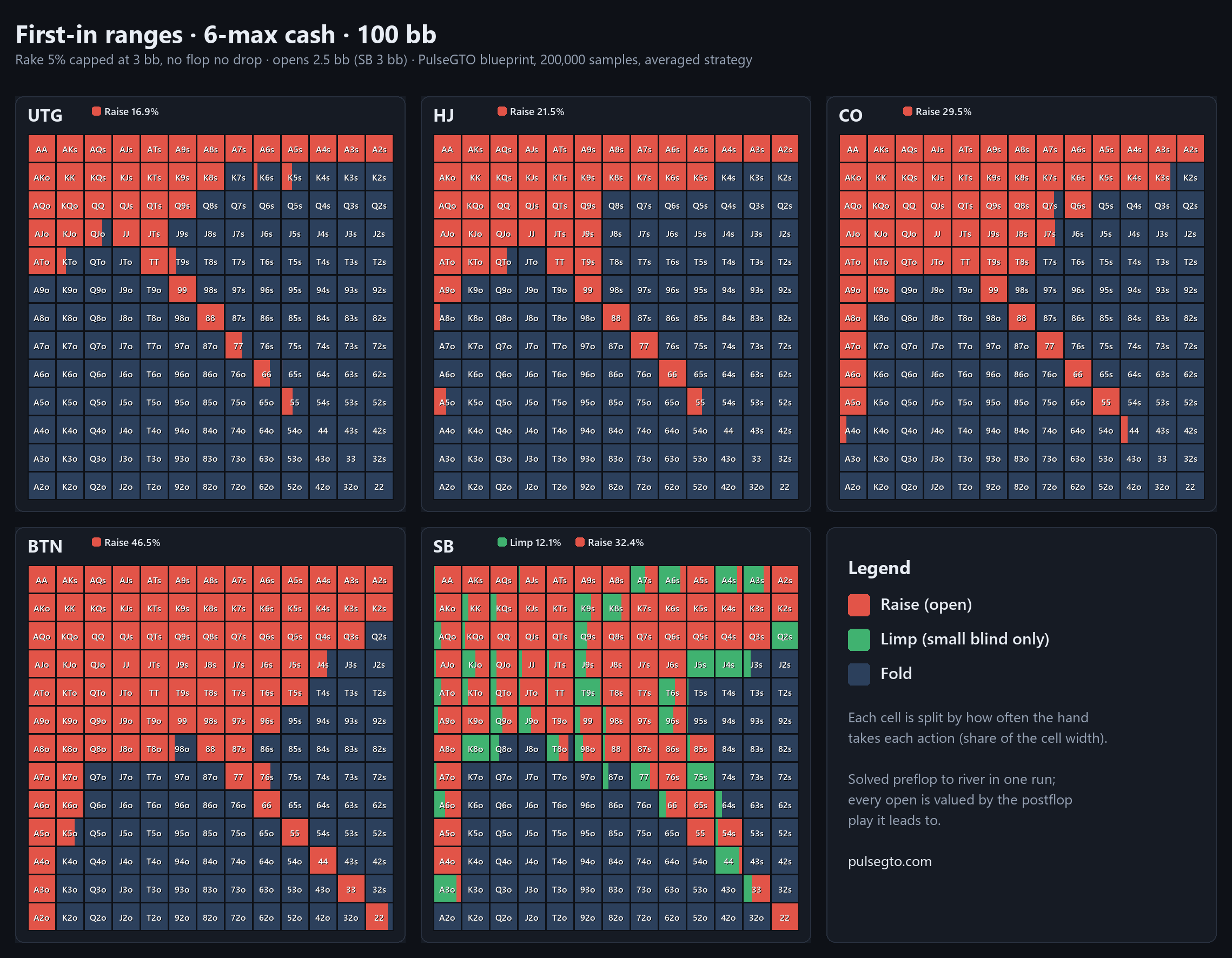
blueprint.pgb holds, for every decision of the game, preflop and postflop, the probability of each action, the EVs recorded in training and the game settings. The Strategy tab browses it from the first preflop decision to the river.
- Postflop play is trained under a hand abstraction: different exact hands can share a strategy, and a "!" badge marks nodes where several preflop hand classes do. The blueprint solves your game at that level of detail, not every board exactly.
- The preflop accuracy bound is the engine's own regret bound: an estimate of how much a seat could still gain by changing its preflop decisions while everyone else keeps the blueprint. It measures convergence inside the abstraction, not an independently measured exploitability (how to read it, Accuracy & limitations).
Make one spot exact: Recalculate Node
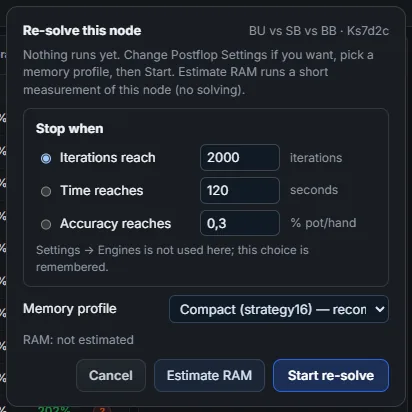
For one board, open its postflop node in the Strategy tab and click Recalculate Node. It re-solves the spot with RangeCFR on your computer, every hand combination separate, no hand abstraction (heads-up and three-way). Start it, and click Save when the accuracy is where you want it: the re-solve goes into the same .pgb as an override, the trained strategy stays, and a green Re-solved badge switches between them. See Recalculating a node.
Keep the bet tree: Save tree / Trees…
In Postflop Settings, Save tree stores a spot under a name, like a solver's tree file: the bet tree, sizes and caps, the game (pot, stacks, rake), the ranges and the board. Trees… lists, loads, exports as JSON, imports or deletes them.
Hardware
RAM is the limit, and it grows with the tree. Example: 6-max 100 bb with one cold caller, two flop sizes and Strength small peaked at 20.9 GB over 200,000 samples (12 h 29 min on a 12-thread laptop) and wrote a 7.1 GB blueprint (full numbers). Try settings on a 3-max or heads-up tree first; it runs in a fraction of the time.