 PulseGTO
Guides
Hand histories: your game, the pool's sizes, and a re-solve of any hand
The Hands tab of the desktop app (in beta) reads the hand histories your poker room writes and turns them into four things: your decisions graded against a blueprint, statistics of your own game, a profile of how your pool bets and raises after the flop (with the bet sizes to put in a tree), and a replay of each hand that you can check against a blueprint or re-solve on your PC. The files are read inside the app; they are not uploaded anywhere.
1. Import
- Click Import hand histories or drop the files on the table. PokerStars (cash and Zoom) and GGPoker text exports are read, one file or many at once; a hand that appears in two files is counted once.
- Every hand is replayed action by action: pot, stacks, bet sizes in % of the pot and raises as a multiple of the bet they raise, what the room took in rake, and who won what.
- Results are shown for one game at a time (room, format and stakes, for example GGPoker Rush & Cash NL2), the most played one first. Different stakes play differently, so All games mixed is there only when you choose it. The Period filter (dates, or drag across the graph) applies to every view.
2. My play: your decisions against the blueprint
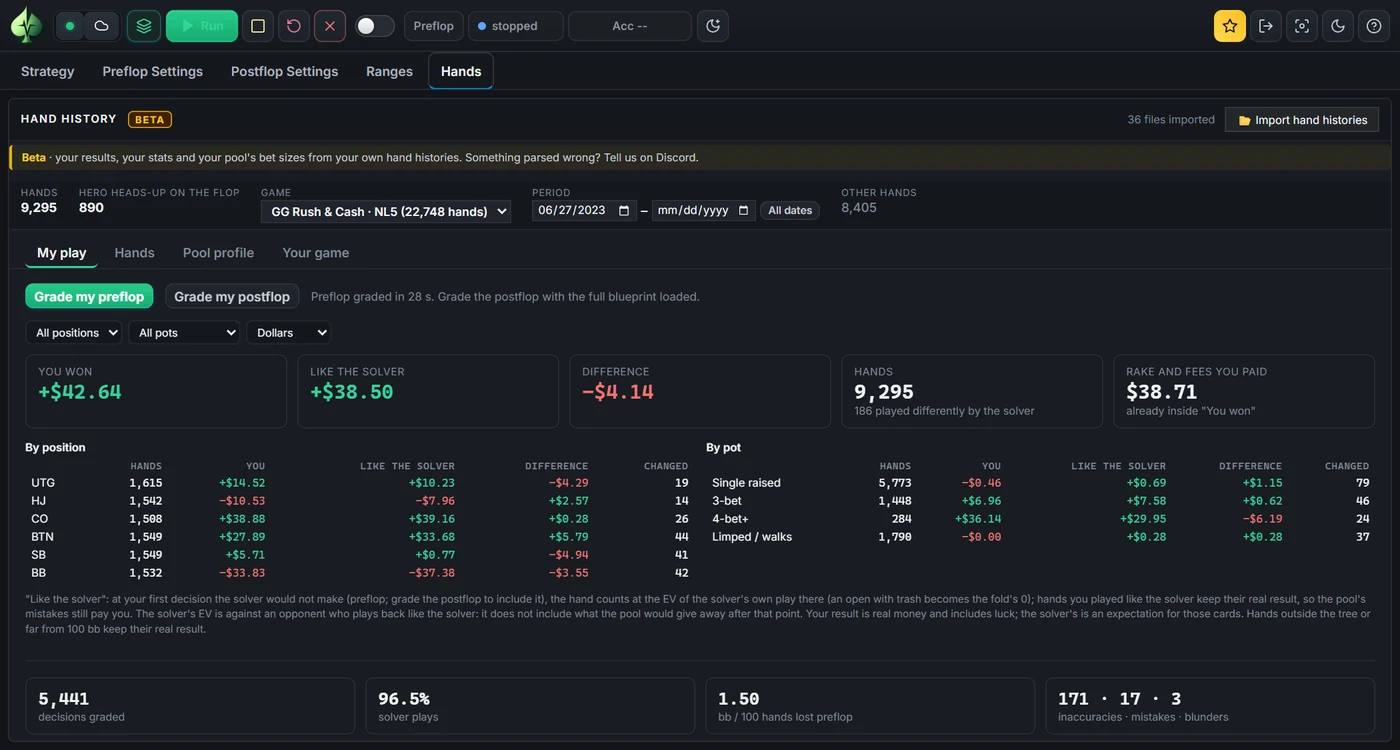
- Grade my preflop compares every preflop decision of yours with the loaded blueprint: how often the blueprint plays your action with your cards, and the EV you lost (the EV of the blueprint's own mix minus the EV of your action). A play the blueprint makes at least 25 % of the time, or that costs under 0.05 bb, counts as a solver play; then inaccuracy (under 0.5 bb), mistake (under 2 bb) and blunder.
- Grade my postflop does the same after the flop; it needs a blueprint with postflop strategies loaded (the one that comes with the app is preflop only).
- You won, Like the solver, Difference, in dollars or bb, by position and by pot type. In "Like the solver" a hand counts at the EV of the solver's own play from your first decision the solver would not make; hands you played like the solver keep their real result. Your result is real money and includes luck; the solver's is an expectation.
- Where the EV goes lists the spots (position and situation) that cost you the most, and the hand table gets a Preflop grade column and a Preflop mistakes filter.
- Decisions are graded on the blueprint's game: its stack depth, rake and sizes. A line the tree does not have (for example a limp it never allows) or a stack far from the blueprint's depth is not graded; the panel says how many and why. Grade with a blueprint of the stakes and rake you play.
3. Your game
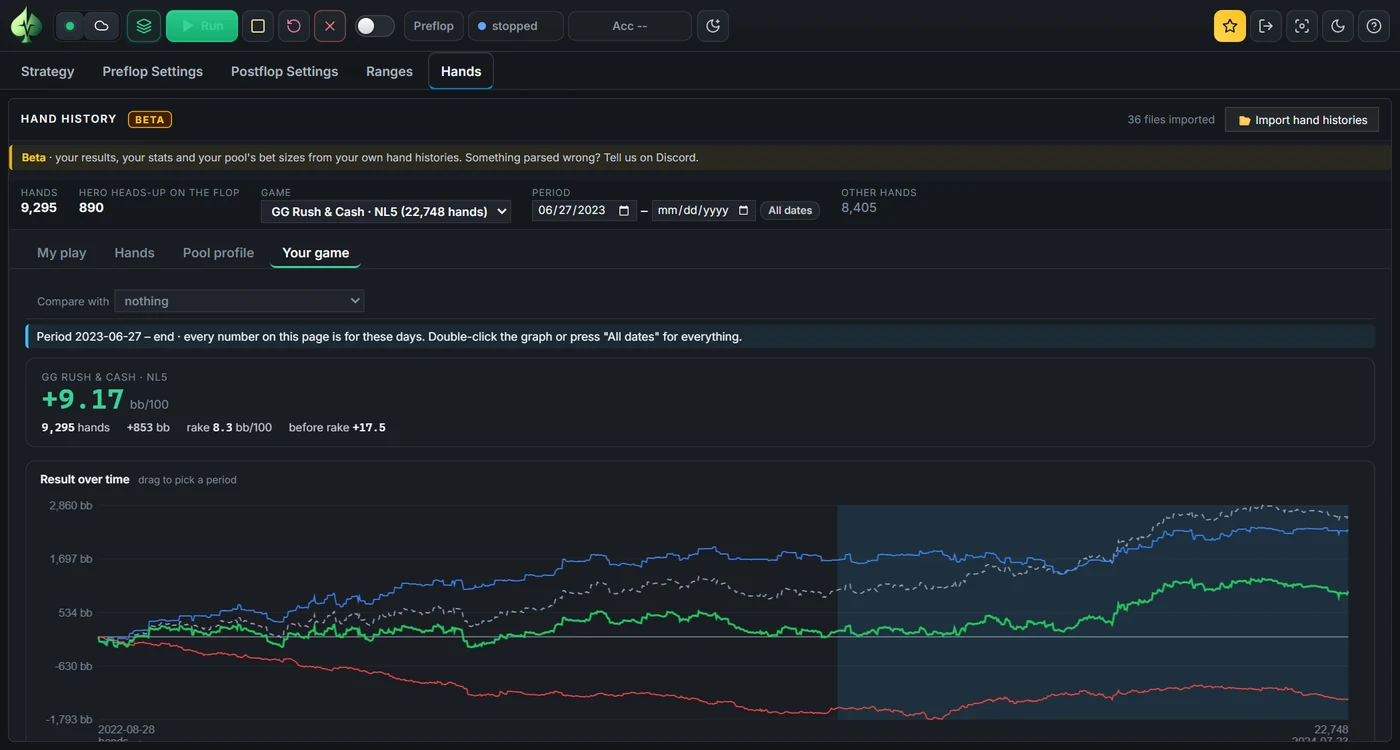
- Winrate in bb/100 with its 95 % range (how far the true winrate can be from the number with this many hands), rake paid, and results by position and by stack depth.
- The usual frequencies: VPIP, PFR, 3-bet, c-bets on the flop, turn and river, folding to and raising c-bets, check-raise, going to and winning at showdown (WTSD, W$SD).
- Spot explorer: pick a situation, for example check-raising on the flop or facing a river bet, and split it by street, pot type, the size of the bet, your hand, the flop's high card, suits or pairing. Each split shows how often you did it, how often the opponent folded or raised, and your result there. Compare with puts a second game beside it (for example NL2 and NL5).
4. Pool profile
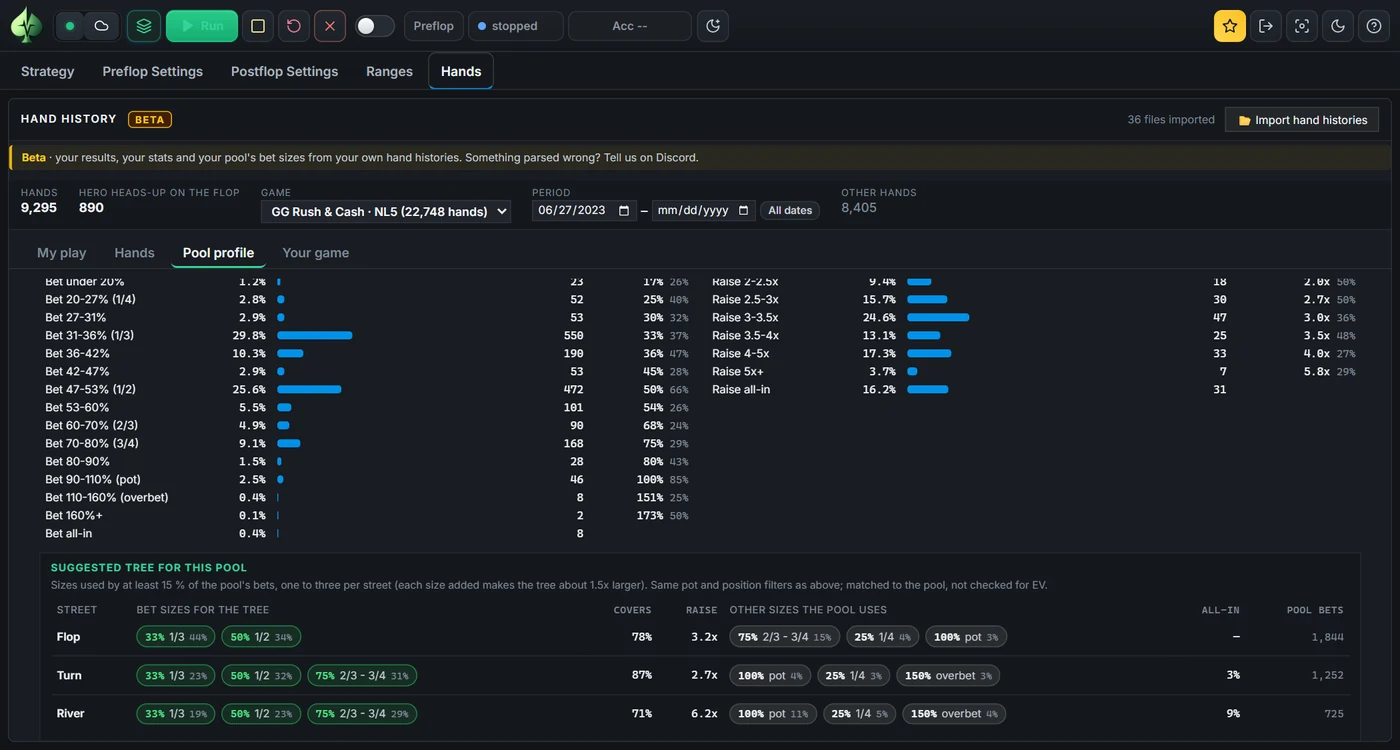
- How everybody in the imported hands plays after the flop: how often they bet when checked to, and fold, call or raise when facing a bet; the distribution of bet sizes (% of the pot) and raise sizes (x the bet). Filter by street, by the pool or yourself, pot type (limped, single raised, 3-bet, 4-bet+), heads-up in or out of position or multiway, and preflop aggressor or caller.
- Suggested tree for this pool: per street, the one to three bet sizes that each stand for at least 15 % of the pool's bets, how much of the pool's betting they cover, the most played raise and how often the pool goes all-in. Type them into Postflop or Preflop Settings to solve the game your pool actually plays. The sizes match the pool's habits; they are not checked for EV.
5. One hand: replay, Quick check and Exact re-solve
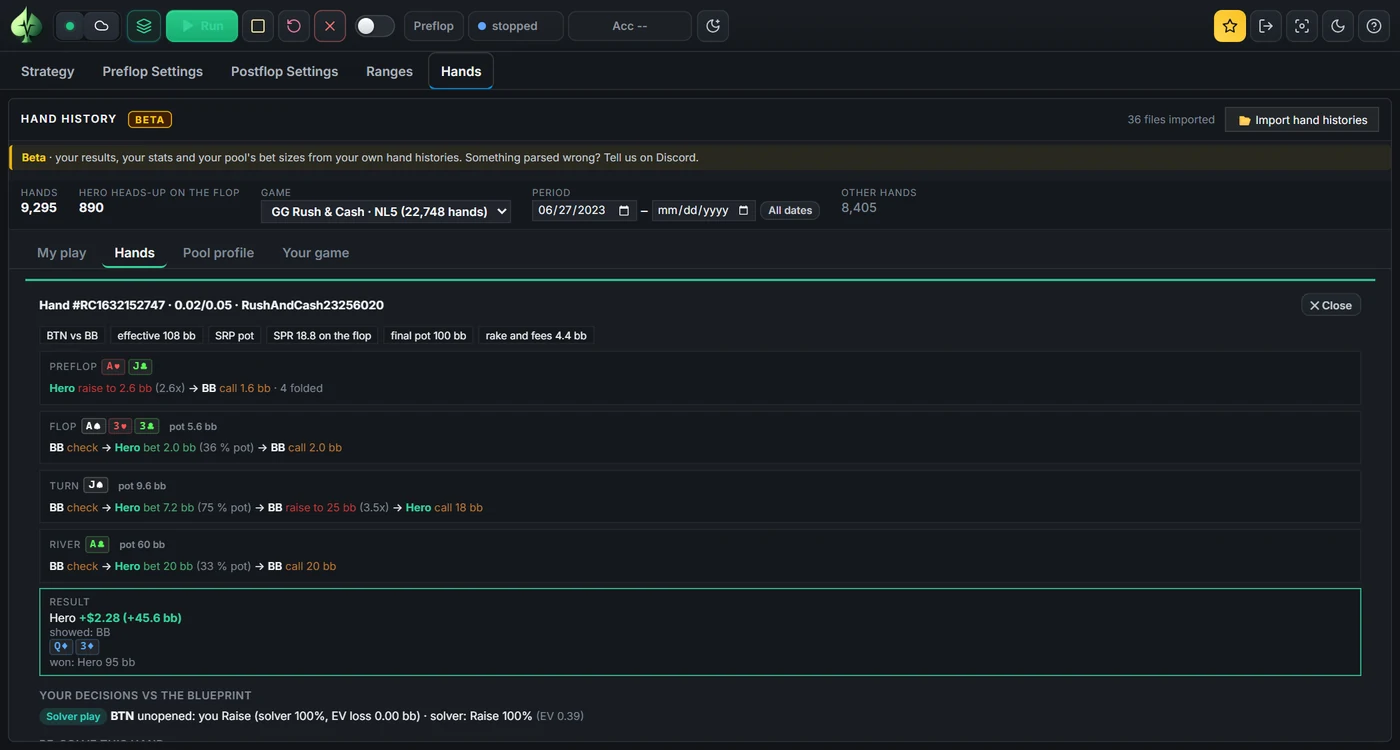
Click a hand to open it under its row, street by street with amounts in bb, % of the pot and the stack-to-pot ratio. For a heads-up hand that saw a flop:
- Quick check reads the loaded blueprint at each of your flop, turn and river decisions: how often the blueprint plays your action with your cards, and its EVs. It is instant, needs a blueprint with postflop strategies, follows the blueprint's own stacks and sizes, and its EVs are estimates for the group of hands your combo belongs to (hand abstraction).
- Exact re-solve solves the flop on your PC with RangeCFR: the two ranges come from the blueprint, the pot and stacks from the hand, and the tree from the hand itself, with each player's own bet and raise sizes on each street and an all-in everywhere. Every decision of yours is then judged on that solve. Stop and judge ends the solve early and judges on what it has. It needs the Engine (Cloud vs Engine).
- Both show the EV lost on your decisions, the hand's result in money and bb, the same result with the EV lost given back (like the solver), and the decision that cost the most. Where the solver folds at that decision, the exact price of folding is shown: what you had put in the pot by then.
- Edit ranges, then re-solve lets you change the ranges first; Open the blueprint spot shows the hand's line in Strategy.
What it is not
- The Hands tab is in the desktop app for Windows; the online strategy library does not read hand histories.
- "Like the solver" is an EV estimate, not what a solver would have won in those particular hands: the cards and runouts stay yours. In a single hand it is your result with the EV you lost added back.
- A re-solve judges one spot with the blueprint's ranges. If the real opponent's range was different, use Edit ranges, then re-solve.