 PulseGTO
Windows Engine
A desktop poker solver for your own game
Configure a No-Limit Hold’em game, train its preflop and postflop blueprint, and refine selected postflop spots on your own PC. Keep the results as your own strategy database.
Choose the job before choosing the engine
“Poker solver” can mean a chart browser, a preflop trainer or a solver for one postflop spot. PulseGTO separates those jobs. The website lets you browse published strategies; the licensed Windows Engine calculates your own trees. A local solve uses your CPU and RAM rather than a remote account’s computing quota.
| What you want | Workflow | Result and limit |
|---|---|---|
| Opening, calling and re-raising ranges for your own game | Preflop blueprint, 2–6 players | A whole-game strategy, with abstracted postflop play |
| A specific flop, turn or river | Heads-up RangeCFR | Per-combination strategy in your selected betting tree, to finite convergence |
| Three ranges sharing a pot | Three-way RangeCFR | Per-combination strategies; flop card coverage depends on memory |
| Read existing published strategies | Browser library | Browsing, not remote custom solving |
From a custom tree to a reusable database
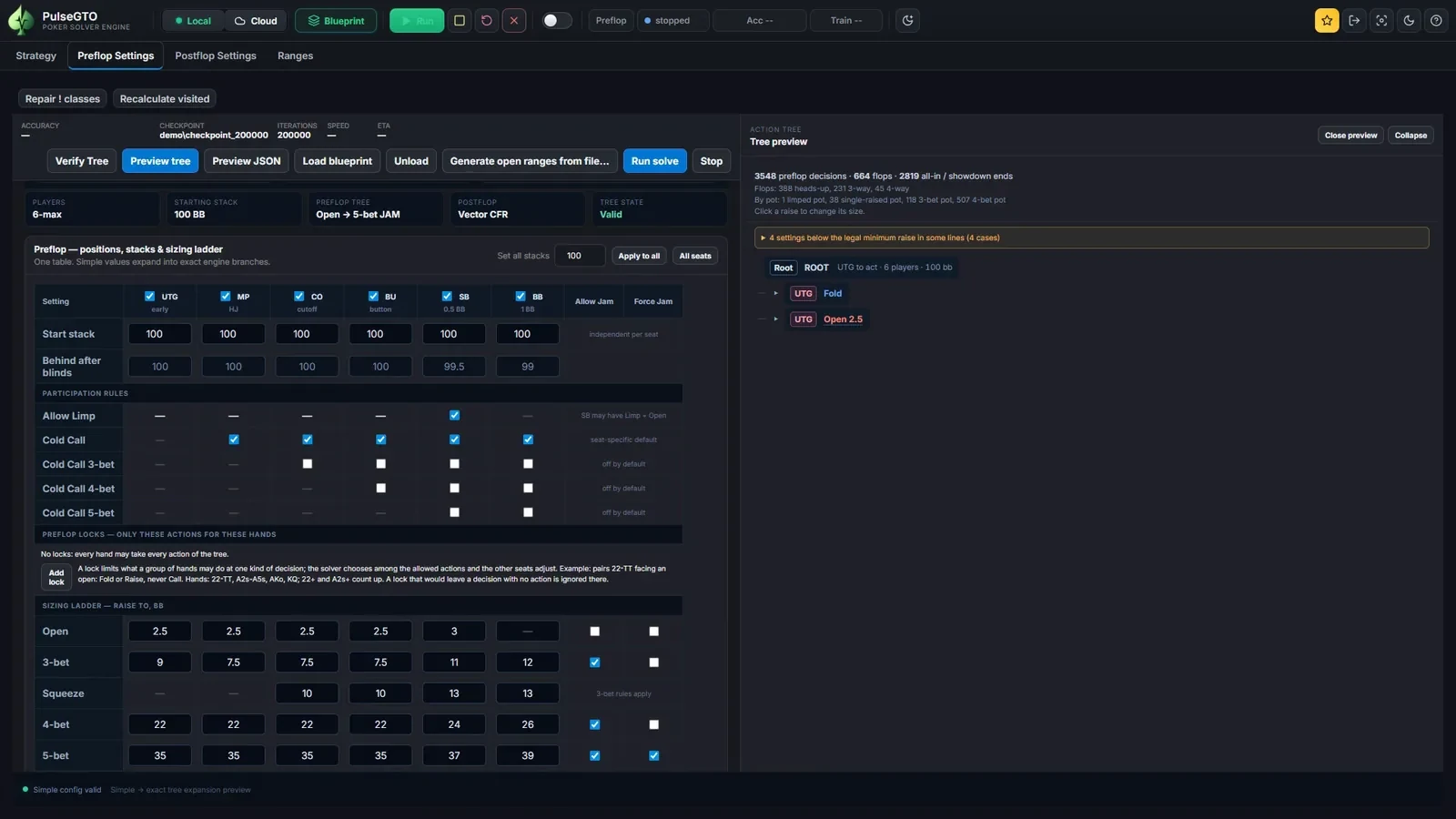
- Set the seats, stacks, rake, calls, raises and postflop sizes. Preview the tree before training.
- Train locally and save a checkpoint. Inspect the averaged strategy, action frequencies and convergence.
- Browse a line of the blueprint and select a board.
- Use Recalculate Node to solve a heads-up or three-way spot separately, with the ranges reaching that node.
- Save the selected node’s result into the blueprint. Other nodes remain blueprint strategies until you refine them.
This is a database you build spot by spot, not a promise that every postflop board has already been solved without abstraction. See what a strategy database stores.
Local calculation is not an offline licence
Runs calculate on your computer and the app stores your files locally. That does not mean an air-gapped workflow: trial activation and validation require a network connection, and licence requirements still apply to the paid Engine. Read the activation guide rather than assuming “desktop” means “never connects”.
The Engine is for No-Limit Hold’em chip-EV games with configurable rake. It does not implement ICM, Omaha, mixed games or four-player exact postflop re-solving. Three-max preflop training is supported; three-way postflop is a separate workflow, not an ICM tournament solver.
Size the job for your PC
The current desktop distribution targets Windows 10/11 64-bit and requires AVX2. Larger trees need more memory: every extra bet size introduces more continuations. Start with a manageable tree, estimate memory for postflop re-solves and keep room on the run drive for checkpoints and blueprint files.
As one measured example, a 6-max 100 bb run reached 200,000 samples in 12 h 29 min with 20.9 GB peak RAM on an i5-1235U laptop with 64 GB RAM. That tree had no donk or probe bets; these numbers are not a promise for another tree or CPU. See the full benchmark.
The Engine licence covers two Windows PCs with 12 months of updates included. Current price and availability are on Pricing; download and activation are handled through your account.
Try the workflow on your own computer
Start a seven-day Engine trial from your account while the trial campaign is available. Activation and licence validation require internet access. Windows and an AVX2-capable CPU are required. Availability and licence terms are on the pricing page.