 PulseGTO
The PLO workflow is part of PulseGTO 1.0.71. It runs on your own PC and uses the same grid, seats strip, action buttons and strategy detail views as Hold'em. You can explore a published game or train a blueprint with your own stack, rake and betting tree.
Start with a 6-max, 100 bb PLO blueprint
The first downloadable PLO blueprint is a specific game, with its assumptions included in the file:
- 6-max, 100 bb, blinds 0.5/1.
- 5% rake, capped at 1 bb, with no flop no drop.
- Pot-size opens and re-raises up to a 5-bet; the small blind may complete.
- At most three players see a flop.
- The small postflop abstraction, with a 66% pot bet and one pot raise in the blueprint's postflop tree.
At the displayed 2% purify setting, the opening frequencies are approximately 17.4% UTG, 22.1% HJ, 30.3% CO and 47.2% BTN. SB raises 29.6% and completes 19.7%. These are results for this tree and rake, rather than a universal PLO opening chart.
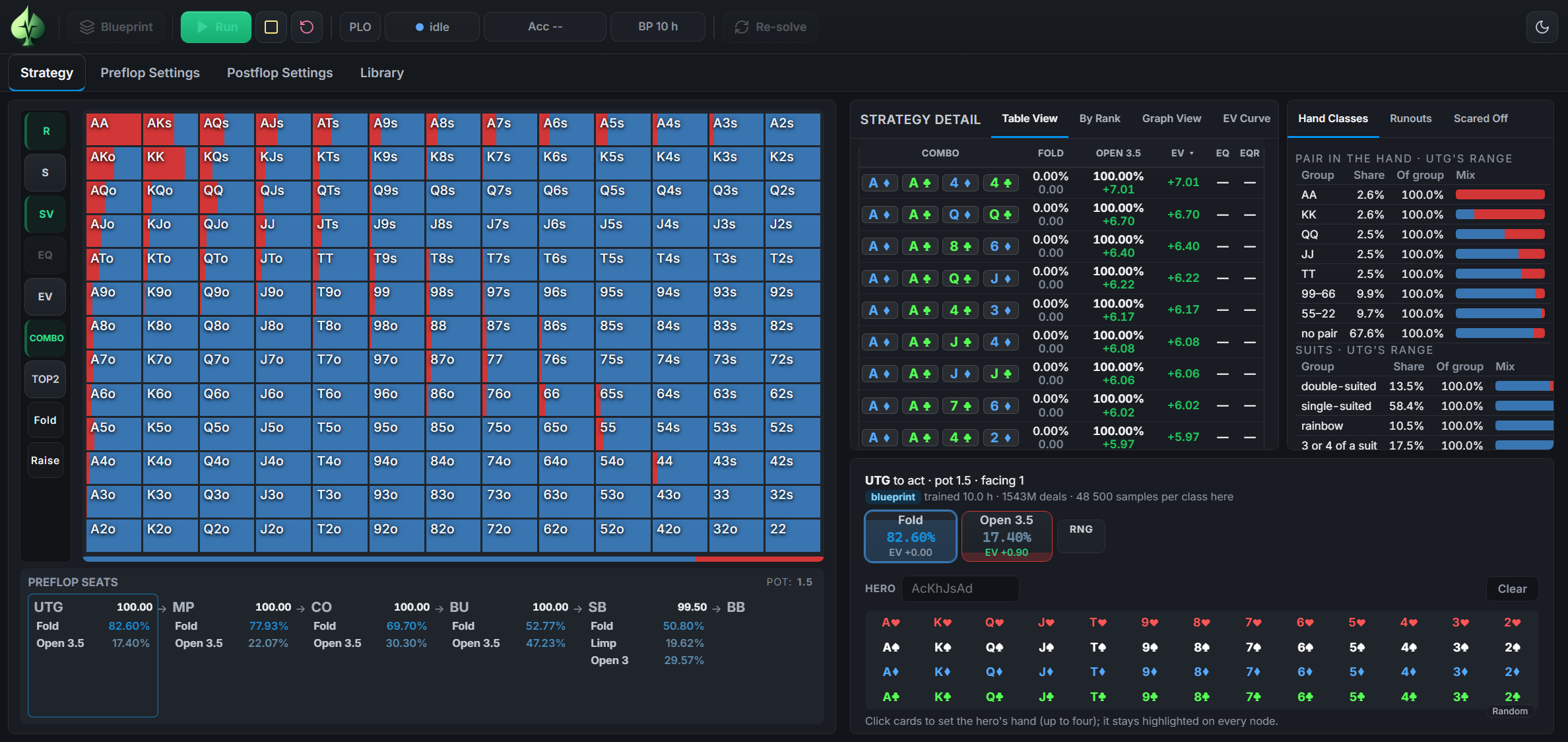
The blueprint was trained for 10 hours, sampling about 1.54 billion deals. That describes the run, not a guarantee that every strategy is at equilibrium. Its postflop abstraction and allowed sizes are part of the model.
A grid for four-card hands
PLO has 270,725 four-card combinations. The blueprint represents preflop hands using 16,432 classes that group hands equivalent under a relabelling of suits.
The familiar 13-by-13 grid is a way to navigate those hands. TOP2, the default, groups a hand by its two highest cards. ANY2 includes it in cells for each pair of its cards. A cell is therefore a group of four-card holdings, not an ordinary two-card Hold'em range.
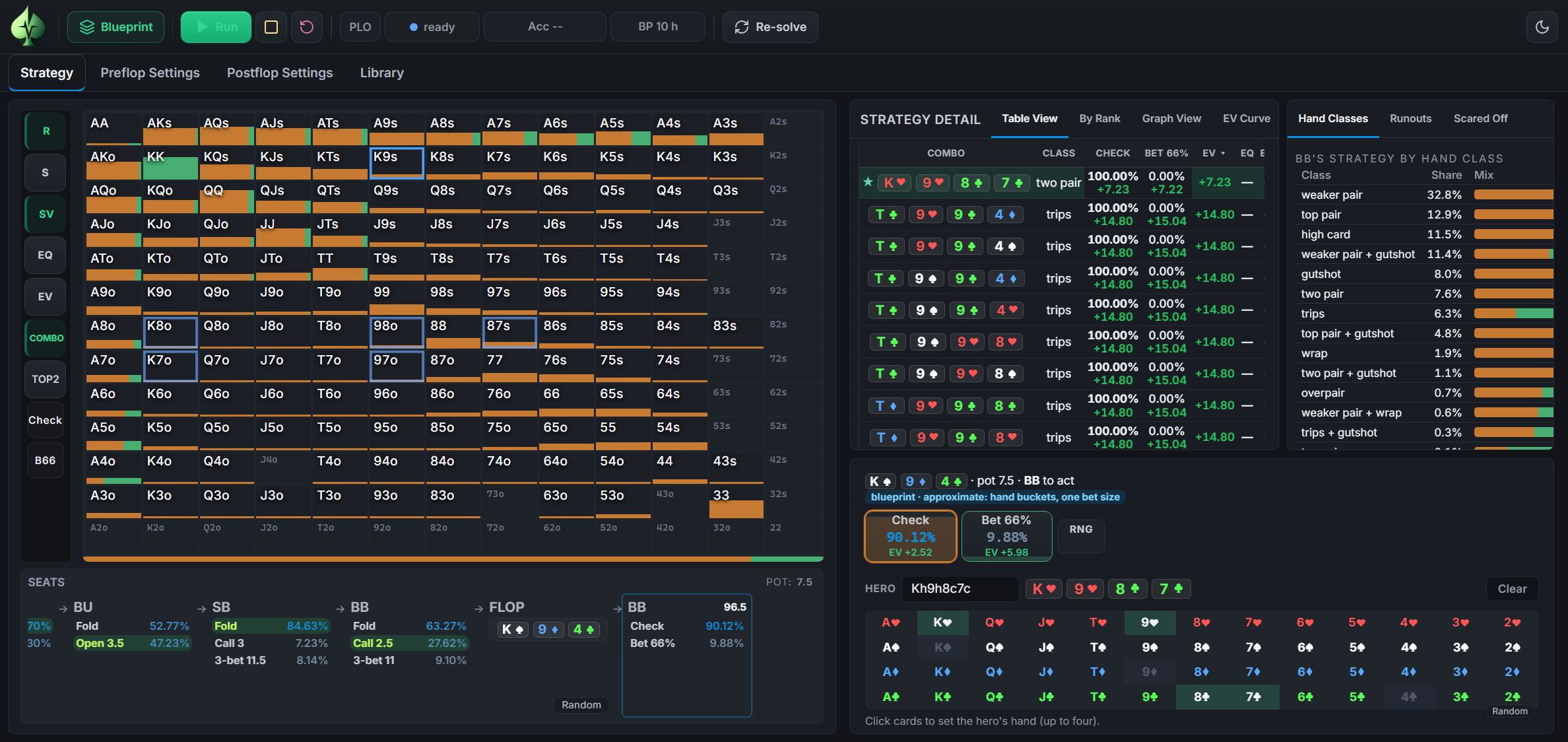
Hover to inspect a cell, click to pin its window, or enter your four-card hand in the Hero field. The strategy table then lets you inspect its mix and EV.
Follow the blueprint onto the flop
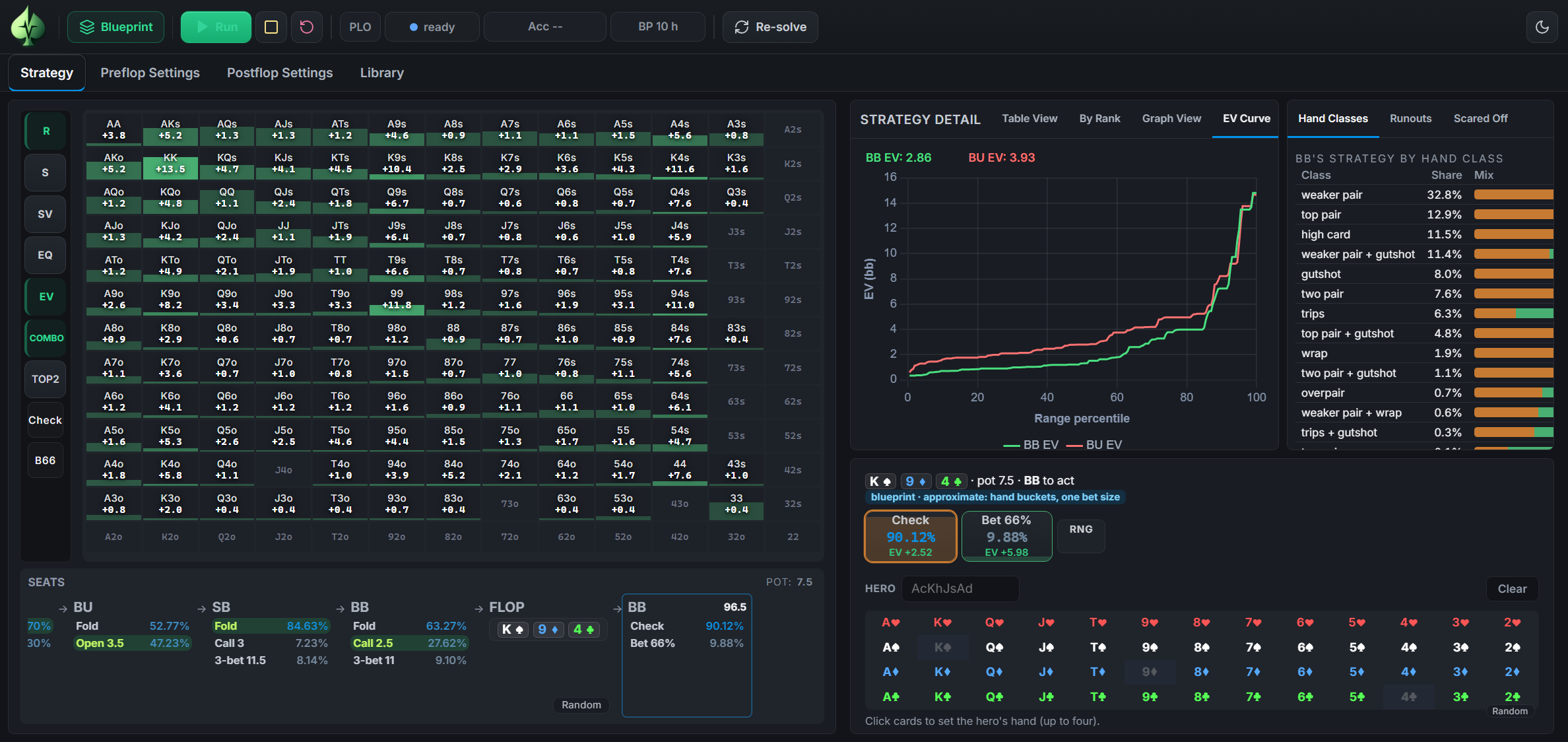
Walk a preflop line until two players reach the flop. Picking three flop cards opens the blueprint's postflop view. Random controls let you explore another flop, turn or river along that line.
The view includes action frequencies, hand classes, an EV grid and both players' EV curves. This is the abstracted blueprint view. Its postflop EV estimates are stored per hand bucket and averaged across boards of the line; they are not a separate, precise solve of the board on screen.
Re-solve the spot with your own settings
For a separate heads-up analysis, use Run from the selected flop. The solver starts from the two blueprint ranges and the sizes you choose in Postflop Settings.
Flop solves use hand buckets for later-street decisions. Re-solving a turn or river treats hands individually without that card abstraction and, where relevant, enumerates the river cards. The solve's reported accuracy still matters: removing card abstraction does not mean a finite run has zero solving error.
This gives you two different study tools: browse the blueprint to follow its strategy, then re-solve a selected spot to investigate those ranges in a different postflop tree. Changing the allowed bet sizes or input ranges can change the result.
Build a custom PLO blueprint
In Preflop Settings, set the stack, rake, opens, re-raises, number of raise levels, players allowed to see the flop and postflop sizes. Small, medium and high abstraction settings trade memory and training requirements against a more detailed card model.
You can stop and resume training. Continue collects more training samples with a blueprint's own settings. Compute EVs estimates postflop EVs for its current strategy without changing that strategy.
What PLO includes, and where it stops
- The published PLO blueprint is available in Cloud Browse with your existing Browse allowance. Custom solving and training run in the Windows desktop app.
- The downloadable blueprint uses abstraction and has not been validated against another PLO solver.
- Three-way flop lines show ranges; PLO postflop solving is heads-up.
- PLO hand-history import and grading are not included. The existing Hands tools are for Hold'em.
Try PLO
- Get the current Windows app from your dashboard and activate a PLO licence or the seven-day full trial.
- While signed in, download PLO 6-max 100 bb — GG Rush & Cash from the blueprint download page. The package is about 1.95 GB and needs about 8.5 GB when installed.
- Leave the
.plobpzfile in Downloads. In the app's mode menu, choose PLO, open Preflop Settings and click Install next to the file. - Open Strategy and start following a line.
The seven-day full trial includes both NLHE and PLO. Afterwards, buy either Engine for €299 or both for €500. Unlimited hosted Browse is a separate subscription; the free library preview remains 10 lookups per rolling 24 hours. See pricing for all plans.
For the settings, abstraction details and workflow, read the PLO documentation.